
Tested calculations
Representative compound-growth and savings-goal results were reconciled to the site's TypeScript engines, including zero-rate and contribution-timing cases.
Premium planning resource · US$15 once
Compare three growth plans, calculate the contribution needed for a savings goal, and keep the assumptions behind each projection visible.
Inside the workbook
58-second workbook tour
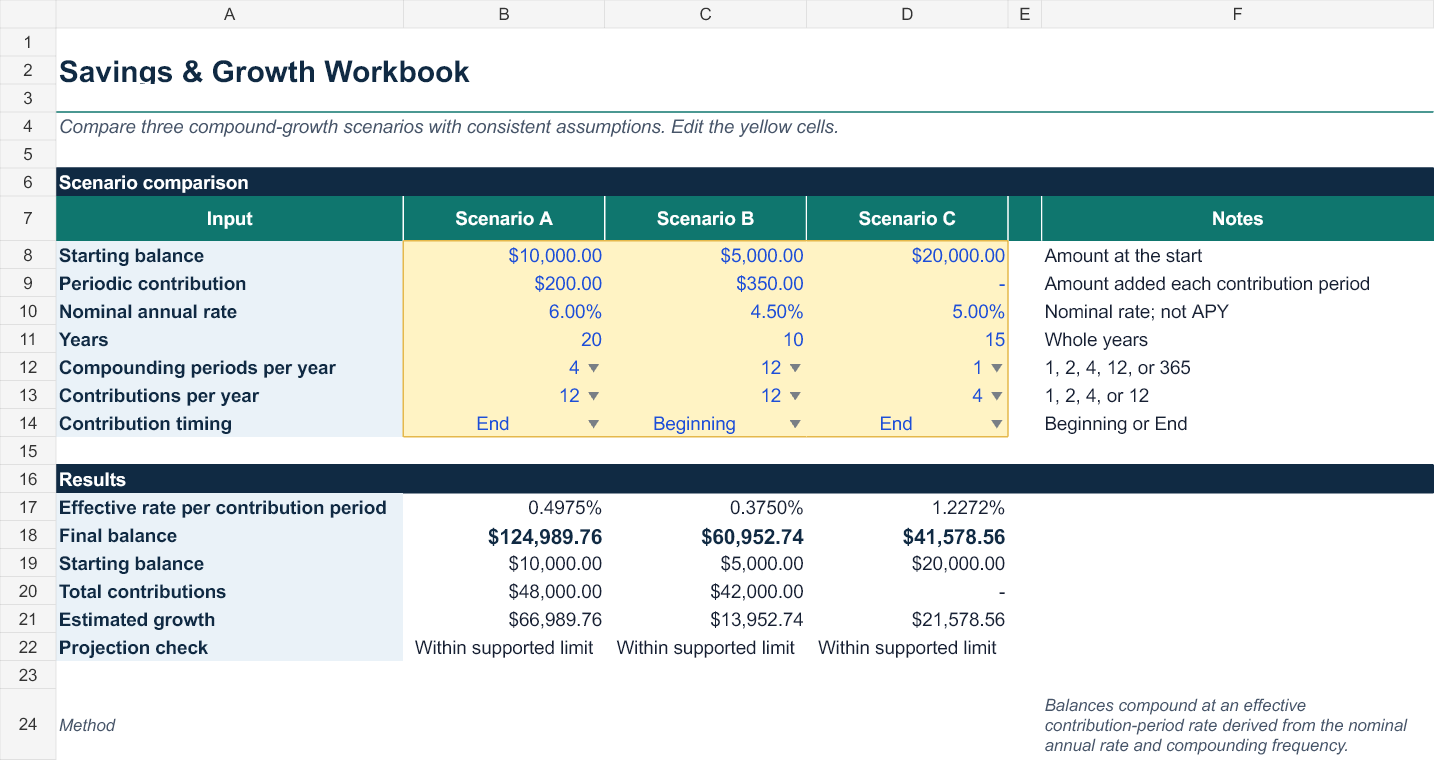
Follow the path from editable assumptions to comparable scenarios, a savings target, an annual schedule, worked examples, and documented limits.
Tour summary: the video introduces Scenario Comparison, Savings Goal, Growth Schedule, Worked Examples, and Guide & Limits. It closes with the verified format and license summary. No customer or financial-account data appears.
Workbook gallery
Use the online calculators for a quick answer. Use the workbook when you want to compare assumptions and keep a planning record.


Built for inspection
Representative compound-growth and savings-goal results were reconciled to the site's TypeScript engines, including zero-rate and contribution-timing cases.
The workbook uses common spreadsheet functions, no macros, and clearly marked yellow input cells.
Taxes, fees, inflation, changing rates, irregular deposits, and personalized investment recommendations are outside the current scope.
Lemon Squeezy handles payment and gives you access to the digital files after purchase. Contact support if delivery or a workbook file fails.
Try the calculation first
Project a balance with the compound interest calculator, or solve for a recurring contribution with the savings goal calculator.
Purchase protection
The workbook is delivered digitally through Lemon Squeezy, the merchant of record. Our policy provides a 14-day refund-request period plus remedies for duplicate charges, failed delivery, and material defects.
Read the Purchase Terms · Read the Refund Policy · Contact support
Common questions
Yes. The workbook costs US$15 as a one-time purchase. Lemon Squeezy handles the secure checkout and digital delivery.
The Excel workbook has been recalculated and reviewed in Microsoft Excel and imported as a native Google Sheet. Both uses retain the five worksheets, formulas, input controls, and growth chart.
No. It organizes educational projections from the assumptions you enter. It does not recommend investments or guarantee an outcome.
The workbook uses ordinary spreadsheet formulas and no macros. The Excel file works locally; a Google account is needed only if you choose to use the Google Sheets version.